AI agent for small business - what to connect first
Corey Berg, Fractional Chief AI Officer
- automation
- process
You get an email saying a new AI agent can now see your bank-side tools. It will read QuickBooks, watch Stripe, and draft your customer replies. It sounds helpful, and it sounds like something that could go wrong on a Friday afternoon.
Both are true. The way to get the first without the second is to decide what the agent can touch before you connect anything.
What just launched
On September 29, Meta announced Muse for Small Business, an AI agent that works across the tools a small business already runs on. Per Axios, it handles everyday tasks like talking to customers, watching cash flow, and tracking inventory.
The connector list includes QuickBooks, Shopify, Stripe, HighLevel, Slack, Notion, Dropbox, Zoom and more, plus Facebook Pages, Instagram and Meta ad accounts. Meta says the owner has to approve publishing, messages and spending.
It runs in the US and Canada, works inside WhatsApp, and is free with a usage limit. Paid plans start at $20 a month, per the same coverage.
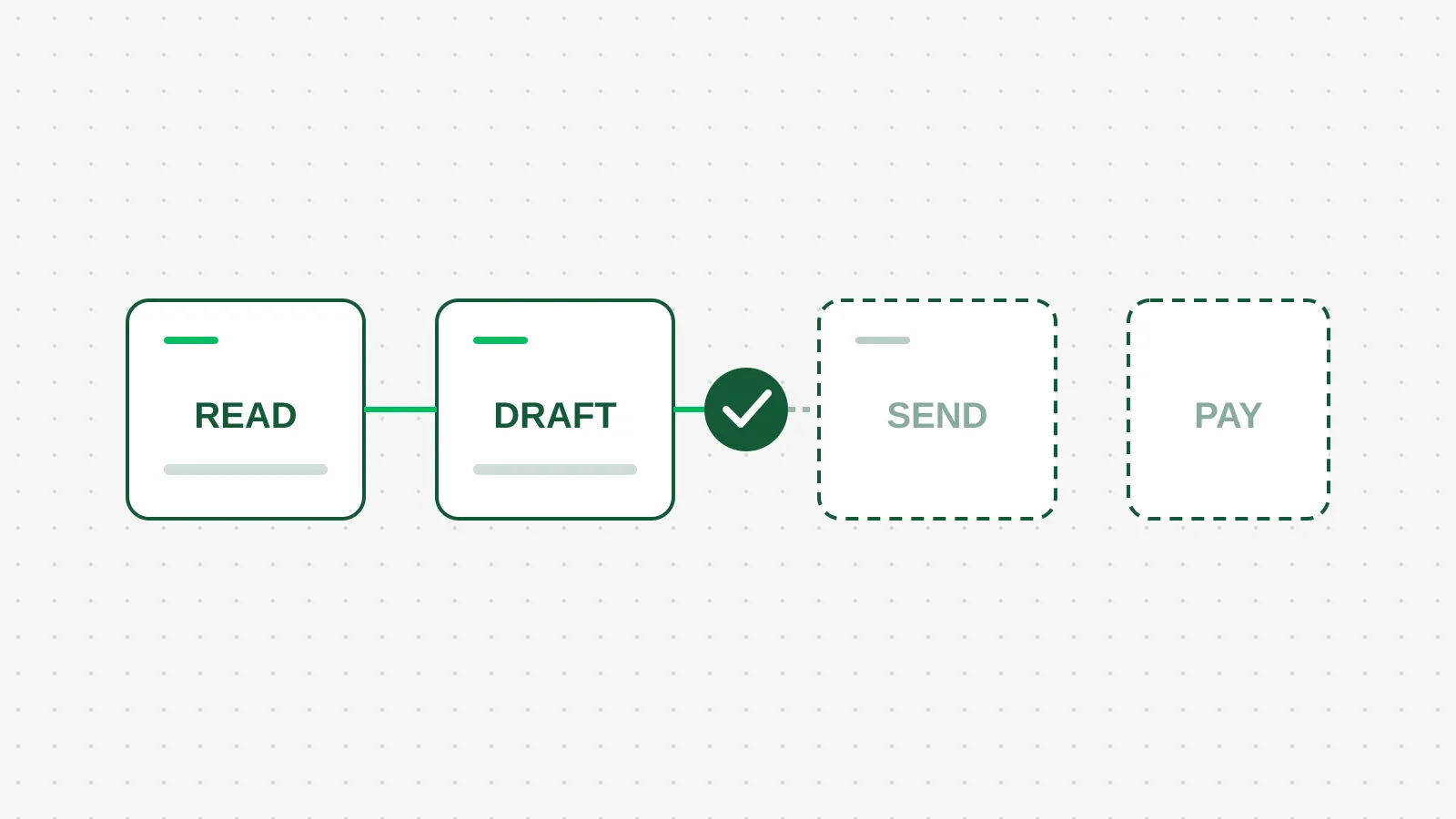
The four levels of access. Most owners should live on the first two for a month.
The part that matters is not Meta
I am not telling you to use Muse. I have not run it on a client account, and a launch week is a poor time to judge anything.
What matters is the pattern. Every major vendor is now shipping an agent that connects to your accounting, payments and messaging. You will be offered one this quarter, from Meta, from your CRM, or from your bookkeeper's software. The questions to ask are the same each time.
The permissions check I run
For every tool you connect, pick one of four levels. Write it down.
- Read. The agent can see the data and answer questions about it. Lowest risk, and it covers most of the value.
- Draft. The agent prepares an invoice reminder or a customer reply, and you press send.
- Send. The agent sends on its own, inside rules you set. Quiet hours, a dollar cap, a list of who it may contact.
- Pay or publish. The agent moves money or posts in your name. I keep this off for a business under $10M, with very few exceptions.
Then match tools to levels. Here is where I start a founder-led business:
- QuickBooks and Stripe: read only. Ask it which invoices are 30 days late and what came in this week. Do not let it create or edit anything yet.
- Email, Slack and WhatsApp: draft. It writes, you send. Move to send for one narrow case, such as order confirmations, after two weeks of clean drafts.
- Ad accounts: read only. An agent with spending rights and a vague goal is how a $300 test becomes a $3,000 month.
- Your CRM: read, plus draft follow-ups. Speed matters here, so this is the first place I would earn the right to send.
What it costs, honestly
Money is the small part. At $20 a month for a paid plan, or free at low volume, the subscription is less than one lunch with a vendor.
The real cost is an hour of setup and ten minutes a week of review. If you skip the review, you have an agent making decisions you never see. A human approval step only works if you look at what you are approving.
There is also a catch. Today the connector list is a menu from one vendor. If your tools are not on it, the agent works from half the picture. Check your actual stack against the list before you get excited.
What to do this week
Open a note and list every tool an agent could connect to: accounting, payments, email, CRM, ads. Next to each, write read, draft, send, or pay.
Then connect exactly one tool at read level, ask it three real questions about your business, and check its answers against what you already know. If it gets them right for two weeks, move one step up. If it does not, you found out at the cheapest level.
Only start with the vendor you already trust with your data. A new connector is a new key to your business, and you should know who holds it.