Your next hire may be an AI agent with its own email address
Corey Berg, Fractional Chief AI Officer
- automation
- process
Picture a new name in your team directory next week. It has an email address, a calendar, and a shared drive folder. Nobody interviewed it, and nobody told you who set it up.
That is the picture Google drew on October 8, when it announced the Gemini agent at its Gemini at Work event. If you run your business on Google Workspace, this one is headed for your account.
What Google announced
The headline feature is the persistent coworker. Per Decrypt's coverage, each one gets its own address at a company agents domain, plus a calendar and Drive storage. Your team can tag it in Chat or in a doc comment, and its edits show up under its own name.
It is in private preview now. Forbes reports Google plans to bring it to Workspace customers on select Business and Enterprise plans soon. That means a Workspace admin at a small company will likely see a new toggle before long.
One analyst write-up points out the gap: Google has not said what a coworker agent costs or who owns one. It also notes the spend caps that pause an agent when a project hits its limit.
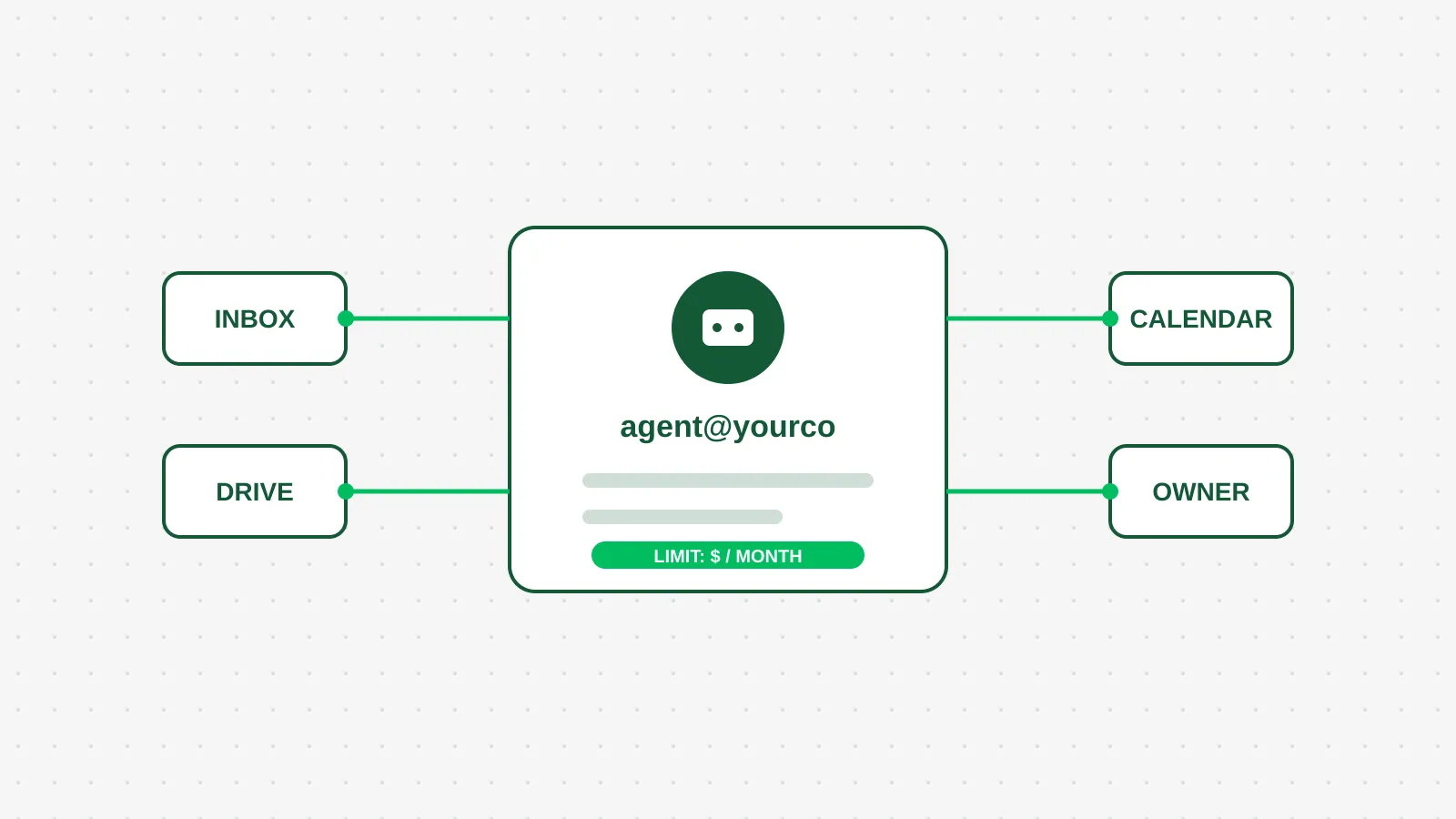 One job, a short list of access, a named owner, and a dollar cap.
Why a mailbox changes the risk
Most AI tools so far have been something you open, use, and close. An agent with a mailbox is something that keeps running when you are not looking.
It can receive mail from customers and vendors. It can be added to a calendar invite. It can reply in a thread where your client thinks they are talking to a person. None of that is bad. All of it needs a rule before it starts.
How I would set one up in a business like yours
I treat it like a hire, because that is what the mailbox makes it. Before it gets an account, I write four lines.
- The job. One sentence. "Watch the shared inbox for vendor invoices and log each one in the tracking sheet." If the sentence needs an "and also," that is two agents.
- The access. Which folders, which inbox, which calendar. Start with one of each. Add more after two clean weeks.
- The owner. One named person who gets the weekly report and can turn it off. If nobody owns it, nobody notices when it drifts.
- The limit. A dollar cap per month and a rule for what it must hand to a human: anything that moves money, signs something, or goes to a client for the first time.
This is the same read, draft, send, pay split I use before connecting any agent to your books. The mailbox just adds a fifth question: who can email it, and what happens when a stranger does?
The honest math
I will not guess at Google's price, because Google has not published one. What I can do is give you the break-even to bring to that number.
Say the job is logging invoices and chasing missing receipts, and it takes your office manager 5 hours a week. At $30 an hour loaded, that is about $650 a month. An agent that does 80 percent of it is worth roughly $520 a month to you. If the price lands above that, skip it. If it lands well under, the review time is the real cost, so budget 30 minutes a week for someone to check its work.
Those numbers are my example, not Google's. Swap in your own hours and your own rate.
What to do this week
Open your Workspace admin console and find out who can turn on new AI features. If the answer is "anyone with admin rights," decide today who that will be.
Then pick the one job you would give an agent first, and write the four lines above for it. When the toggle shows up, you will be able to say yes or no in ten minutes instead of finding out what it did after the fact.
If you cannot write the job in one sentence, that is useful information too. It means the process needs fixing before any agent, Google's or anyone else's, gets near it.